

Launched in 2004, Google Scholar emerged as Google’s answer to the growing need for a comprehensive academic search engine. Unlike traditional academic databases that often require expensive subscriptions or institutional access, Scholar democratizes scholarly research by providing free access to millions of academic papers, theses, books, conference papers, and patents across virtually every field of study.
The platform’s impact extends beyond simple accessibility. By applying Google’s powerful search algorithms to academic content, Scholar has revolutionized citation tracking, research collaboration, and the overall efficiency of literature reviews, making it an indispensable tool in modern academic workflows.
What is Google Scholar?
Google Scholar is a freely accessible web search engine that specifically indexes scholarly literature across various disciplines and sources. It serves as a specialized academic search tool that helps researchers, students, and academics find scholarly articles, theses, books, conference papers, court opinions, and patents.
Key features of Google Scholar include:
Search Capabilities: It searches across academic publishers, professional societies, online repositories, universities, and other scholarly organizations to provide comprehensive results from peer-reviewed papers, preprints, and other academic content.
Citation Analysis: Scholar tracks how often articles are cited by other works, providing citation counts and metrics that help assess the impact and relevance of research papers.
Author Profiles: Researchers can create profiles showing their publications, citation metrics, and h-index, making it easier to track scholarly output and impact.
Library Integration: It can link to institutional library systems, helping users access full-text articles through their university or organization’s subscriptions.
Advanced Search Options: Users can search by author, publication, date ranges, and specific fields of study.
Features of Google Scholar
Core Search Functionality
Comprehensive Database Access Google Scholar indexes millions of scholarly articles, books, theses, conference papers, preprints, patents, and court opinions from academic publishers, professional societies, universities, and repositories worldwide.
Simple Search Interface The familiar Google-style search box allows users to enter keywords, phrases, or complete citations to find relevant academic content quickly and intuitively.
Advanced Search Options Users can refine searches by author, publication title, date ranges, specific journals, and subject areas. Boolean operators and phrase searching enhance precision.
Citation Tools and Metrics
Citation Tracking Each article displays the number of times it has been cited by other scholarly works, helping researchers assess impact and relevance.
Citation Export Built-in tools export citations in multiple formats including BibTeX, EndNote, RefMan, and standard citation styles (APA, MLA, Chicago).
Related Articles Algorithm-generated suggestions for similar or related research papers based on content analysis and citation patterns.
Author and Publication Management
Author Profiles Researchers can create and maintain public profiles showcasing their publications, citation metrics, h-index, and research interests.
Publication Verification Authors can claim and verify their papers, ensuring accurate attribution and comprehensive publication lists.
Co-author Networks Visual representation of collaboration patterns and research connections between scholars.
Library Integration and Access
Library Links Integration with institutional library systems enables direct access to full-text articles through university subscriptions and databases.
PDF Availability When available, direct links to free PDF versions of papers from institutional repositories, author websites, or open-access sources.
Interlibrary Loan Support Connection to library services for requesting articles not immediately available through institutional access.
Personalization and Alerts
My Library Personal collection feature accessible through My Library for saving and organizing articles of interest, with tagging and note-taking capabilities.
Email Alerts Automated notifications available through Scholar Alerts for new publications matching specific search terms, author names, or research areas.
Recommendation Engine Personalized suggestions based on search history and saved articles.
Research Analysis Tools
Metrics and Analytics Citation analysis tools showing publication trends, impact over time, and comparative metrics across different time periods.
Journal Rankings Access to journal impact metrics and publication venue information to assess publication quality.
Research Trends Insights into emerging research areas and trending topics within specific fields.
Mobile and Integration Features
Mobile Accessibility Responsive design and mobile apps for research on smartphones and tablets.
Browser Integration Browser extensions and bookmarklets for quick access to Scholar searches and citation tools.
API Access Limited programmatic access for developers and researchers building academic tools and applications.
Practical Applications of Google Scholar
Academic Research and Literature Reviews
Systematic Literature Reviews Researchers use Google Scholar to conduct comprehensive searches across multiple databases simultaneously, identifying relevant studies for meta-analyses and systematic reviews. The platform’s broad coverage helps ensure no significant publications are missed.
Gap Analysis By searching specific research topics and analyzing citation patterns, scholars can identify underexplored areas and research gaps that warrant further investigation.
Research Methodology Discovery Students and researchers find established methodologies and frameworks by searching for papers that have successfully addressed similar research questions or used comparable approaches.
Citation Management and Academic Writing
Reference Building Google Scholar’s citation export feature streamlines bibliography creation by providing properly formatted citations in multiple academic styles (APA, MLA, Chicago, etc.).
Source Verification Researchers verify the credibility and impact of sources by checking citation counts and examining who has cited specific papers, helping assess the reliability of their references.
Finding Supporting Evidence When writing academic papers, scholars use targeted searches to find supporting studies and counterarguments that strengthen their analysis and discussion sections.
Teaching and Educational Applications
Curriculum Development Educators search for current research to update course content, ensuring their curricula reflect the latest developments in their fields.
Assignment Creation Instructors find relevant papers to assign as readings or use as examples in coursework, helping students engage with primary research sources.
Student Research Training Google Scholar serves as a training tool for teaching students how to conduct academic searches, evaluate sources, and understand scholarly communication.
Professional Development and Career Management
Academic Profile Building Researchers create and maintain Scholar profiles to showcase their publication record, track citation metrics, and increase visibility within their academic community.
Collaboration Identification By examining co-authorship networks and citation patterns, academics identify potential collaborators and research partners in their field.
Tenure and Promotion Documentation Faculty members use citation metrics and h-index calculations from Google Scholar as evidence of research impact for tenure dossiers and promotion applications.
Industry and Applied Research
Market Research Business professionals and consultants search for academic studies relevant to market trends, consumer behavior, and industry analysis to inform strategic decisions.
Policy Development Government agencies and policy makers use Google Scholar to find evidence-based research that supports policy recommendations and legislative proposals.
Technology Transfer Industry researchers identify academic innovations and patents that might have commercial applications or inform product development.
Competitive Intelligence and Analysis
Research Landscape Mapping Organizations analyze publication patterns and citation networks to understand the competitive research landscape in their field.
Institutional Benchmarking Universities and research institutions compare their publication output and citation impact against peer institutions using Scholar metrics.
Funding Opportunity Identification Researchers track trending topics and emerging research areas to identify potential funding opportunities and grant applications.
Medical and Healthcare Applications
Evidence-Based Medicine Healthcare professionals search for clinical studies, systematic reviews, and treatment guidelines to inform patient care decisions.
Medical Literature Updates Physicians set up Scholar alerts to stay current with new research in their specialties and treatment areas.
Drug and Treatment Research Pharmaceutical researchers track publications related to specific compounds, treatments, or medical conditions for drug development and clinical trial design.
Legal and Patent Research
Case Law Research Legal professionals search court opinions and legal precedents available through Google Scholar’s case law database.
Patent Analysis Inventors and patent attorneys search existing patents to assess novelty, identify prior art, and understand the intellectual property landscape.
Legal Scholarship Law students and legal scholars access law reviews, legal journals, and court decisions for academic research and legal writing.
Journalism and Science Communication
Fact-Checking Journalists verify scientific claims and find authoritative sources to support news stories and investigative reports.
Expert Identification Media professionals identify leading researchers and subject matter experts for interviews and commentary by analyzing publication records and citation metrics.
Background Research Science writers use Google Scholar to understand the research context and scientific consensus around topics they’re covering for general audiences.
Quality Assessment and Peer Review
Journal Selection Researchers evaluate potential publication venues by examining the types of articles published and citation patterns of specific journals.
Manuscript Review Peer reviewers use Google Scholar to verify claims, check for proper citations, and assess the novelty of submitted manuscripts.
Research Evaluation Grant reviewers and hiring committees assess candidate qualifications and research impact using publication and citation data from Google Scholar.
How to Use Google Scholar
Getting Started
Accessing Google Scholar Visit scholar.google.com in any web browser. No account registration is required for basic searching, though creating a Google account unlocks additional features like saving articles and creating alerts.
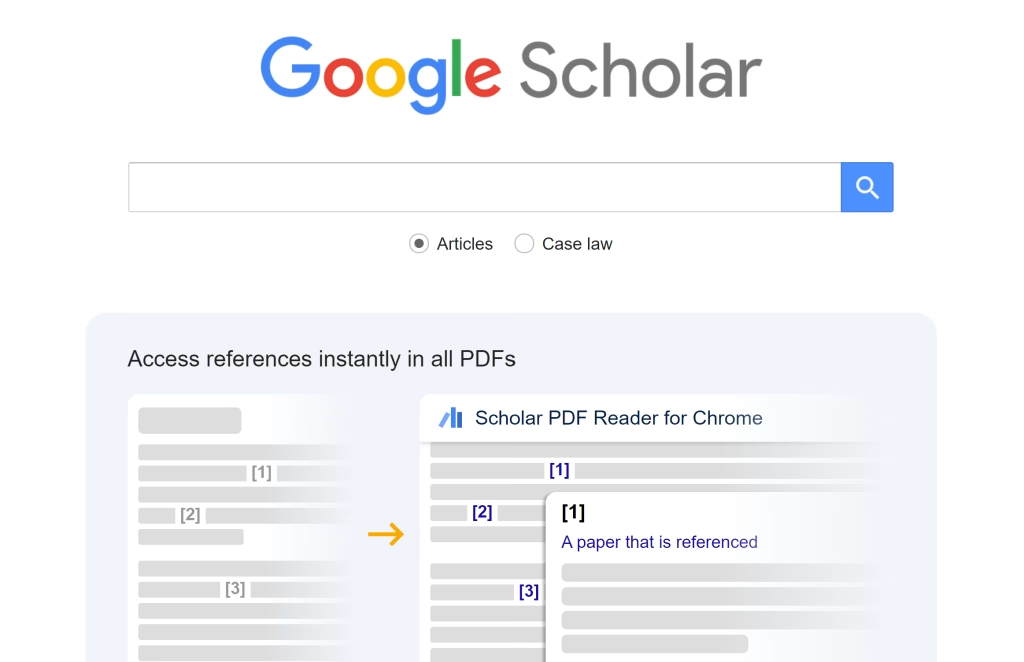
Basic Interface Overview The main page features a simple search box similar to regular Google, with options to search “Articles” (default) or “Case law” for legal documents. The familiar interface makes it easy for anyone comfortable with Google to start searching immediately.
Basic Search Techniques
Simple Keyword Search Enter your research topic or keywords in the main search box. Google Scholar searches across titles, abstracts, and full text of academic papers.
Example: climate change effects agriculture
Phrase Searching Use quotation marks to search for exact phrases, ensuring all words appear together in that specific order.
Example: "machine learning algorithms"
Author Searching Find papers by specific authors using the format author:"lastname firstname" or simply include the author’s name in your search.
Example: author:"Smith John" OR climate change Smith
Advanced Search Features
Using Advanced Search Click “Advanced search” or visit scholar.google.com/schhp to access detailed search options:
- Find articles with all words: Equivalent to AND operator
- Find articles with exact phrase: Same as using quotation marks
- Find articles with at least one word: Equivalent to OR operator
- Find articles without words: Excludes specific terms
- Find articles by author: Search specific author names
- Find articles published in: Search within specific journals
- Find articles dated between: Limit results to specific time periods
Boolean Operators
AND: Both terms must appear (default behavior)OR: Either term can appearNOTor-: Excludes terms
Example: renewable energy AND solar NOT nuclear
Wildcard and Truncation Use asterisks (*) for wildcard searches to find variations of words.
Example: psycholog* finds psychology, psychological, psychologist
Refining and Filtering Results
Time-Based Filtering Use the sidebar options to filter results by publication date:
- Any time (default)
- Since 2024, 2023, 2020, etc.
- Custom date ranges
Sorting Options
- Relevance (default): Based on Google’s algorithm considering citation frequency, author reputation, and text matching
- Date: Most recent publications first
Language and Region Settings Access settings to change language preferences and regional Google Scholar versions for different geographic focus.
Understanding Search Results
Result Components Each result displays:
- Title: Usually linked to the full paper or abstract
- Authors: Linked to author profiles when available
- Publication venue: Journal name, conference, or publisher
- Publication year
- Citation count: “Cited by X” shows how many times the paper has been cited
- Related articles: Link to similar papers
- All X versions: Shows different versions of the same paper
Citation Analysis Click “Cited by X” to see papers that have referenced this work, helping you:
- Understand the paper’s impact
- Find more recent related research
- Trace how ideas have developed over time
Accessing Full-Text Articles
Free Access Options Look for:
- [PDF] links on the right side of results
- [HTML] versions of articles
- Links to institutional repositories
- Author’s personal websites
Library Access
- Click “Library links” in settings to connect your institutional library
- Look for “Get it @ [Your Library]” links in results
- Use interlibrary loan services for unavailable articles
Publisher Websites Click article titles to access publisher pages, which may require subscriptions or individual article purchases.
Creating and Managing Profiles
Setting Up Author Profiles
- Visit scholar.google.com/citations
- Sign in with your Google account
- Search for your existing publications
- Claim and verify your papers
- Add missing publications manually
Profile Benefits
- Showcase your research output
- Track citation metrics automatically
- Increase visibility of your work
- Monitor your h-index and i10-index
Using My Library Feature
Saving Articles
- Sign in to your Google account
- Click the star icon next to articles you want to save
- Access saved articles at scholar.google.com/scholar_library
Organization Tools
- Add labels to categorize saved articles
- Add notes and tags for personal reference
- Export saved articles in various citation formats
Setting Up Alerts
Creating Search Alerts
- Perform a search for your topic of interest
- Click “Create alert” in the left sidebar
- Configure alert frequency and email preferences
- Manage alerts at scholar.google.com/scholar_alerts
Author Alerts Follow specific authors to receive notifications when they publish new papers.
Citation and Reference Management
Exporting Citations Click the quotation mark (“) icon under any article to export citations in multiple formats:
- MLA
- APA
- Chicago
- BibTeX
- EndNote
- RefMan
- RefWorks
Integration with Reference Managers Export citations directly to popular reference management tools like Zotero, Mendeley, or EndNote.
Google Scholar vs. Other Academic Databases
Google Scholar vs. Web of Science
Web of Science Advantages
Selective Quality Control: Web of Science maintains strict inclusion criteria, indexing only journals that meet specific editorial standards and citation thresholds, ensuring higher overall quality.
Comprehensive Citation Analytics: Offers sophisticated citation analysis tools including Journal Citation Reports (JCR), impact factors, and detailed citation networks with historical data back to 1900.
Standardized Metadata: Provides consistent, high-quality bibliographic information with controlled vocabulary and standardized author names.
Advanced Analytics: Features like Essential Science Indicators, InCites, and research area classifications provide institutional and comparative analysis tools.
Google Scholar Advantages
Broader Coverage: Includes preprints, conference papers, theses, books, and grey literature that Web of Science excludes.
Free Access: No subscription fees required, making it accessible to researchers worldwide regardless of institutional affiliations.
Simplified Interface: Familiar Google-style search that requires minimal training.
Real-Time Updates: New publications appear more quickly than in Web of Science’s curated environment.
Google Scholar vs. Scopus
Scopus Advantages
Quality Curation: Employs rigorous selection criteria for journal inclusion with ongoing quality monitoring and review processes.
Author Disambiguation: Superior author identification system that accurately distinguishes between researchers with similar names.
Advanced Search Features: More sophisticated search operators, field-specific searching, and complex query building capabilities.
Comprehensive Coverage Metrics: Detailed information about journal coverage, including start dates and subject classifications.
Google Scholar Advantages
Broader Disciplinary Scope: Includes humanities and social sciences content that Scopus covers less comprehensively.
Open Access Content: Better discovery of freely available papers from institutional repositories and author websites.
No Geographic Bias: Less Western/English-language bias in content selection compared to Scopus.
Integration with Google Ecosystem: Seamless connection with other Google tools and services.
Google Scholar vs. PubMed
PubMed Advantages
Medical Specialization: Exclusively focused on biomedical and life sciences literature with specialized medical subject headings (MeSH).
Authoritative Source: Maintained by the National Library of Medicine with rigorous quality standards and expert curation.
Advanced Medical Search Tools: Specialized search filters for study types, publication types, and clinical queries.
MEDLINE Integration: Core database includes peer-reviewed journals with strict selection criteria.
Google Scholar Advantages
Interdisciplinary Coverage: Includes engineering, computer science, physics, and other fields relevant to biomedical research.
Conference and Preprint Access: Covers conference proceedings and preprint servers like bioRxiv and medRxiv.
Citation Metrics: Provides citation counts and h-index calculations not available in PubMed.
Full-Text Discovery: Often finds freely available full-text versions that PubMed doesn’t link to directly.
Google Scholar vs. Discipline-Specific Databases
Subject-Specific Database Advantages
PsycINFO (Psychology)
- Comprehensive coverage of psychological literature with specialized terminology
- Detailed indexing with psychological concepts and methodologies
- International scope with non-English language publications
ERIC (Education)
- Complete coverage of education research and policy documents
- Includes unpublished reports, conference presentations, and government documents
- Specialized education thesaurus and classification system
IEEE Xplore (Engineering/Technology)
- Authoritative source for electrical engineering and computer science
- Conference proceedings and technical standards not found elsewhere
- Peer-reviewed content with rigorous technical standards
FAQs
Do I need to pay to use Google Scholar?
No. Google Scholar is free to use. However, some articles may require a subscription or institutional access to view the full text. You can often find free versions through open-access repositories or university libraries.
Can I access full articles through Google Scholar?
Yes, but availability depends on the publisher. Some articles are free as PDFs, while others require institutional or paid access. Linking Google Scholar to your library can increase access to full texts.
Is everything on Google Scholar peer-reviewed?
No. While many results are from peer-reviewed journals, Google Scholar also includes books, theses, conference papers, and sometimes non-peer-reviewed materials. Always check the source’s credibility.